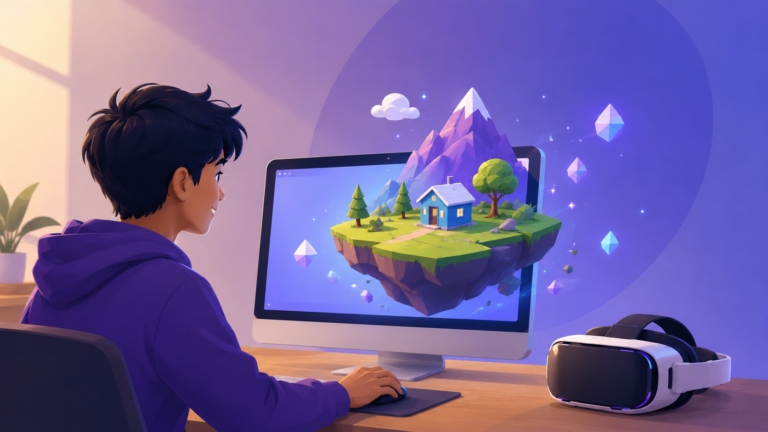
Making Your First Virtual World With the Beginner-Friendly Tools of Today
For most of its history, creating virtual reality content was the exclusive territory of skilled programmers and well-funded studios. Building even a simple immersive scene meant wrestling with complex game engines, writing code, and owning expensive hardware. That barrier has crumbled. A wave of accessible tools, browser-based platforms, and artificial intelligence has transformed VR creation from a specialist craft into something a curious beginner can attempt over a weekend. If you have ever wanted to build your own virtual world, there has never been a better moment to start, and you may not need to write a single line of code to do it.
The easiest entry point is a 360-degree camera
Before touching any 3D software, it is worth knowing that the simplest form of VR content is also one of the most powerful: the 360-degree photo or video. Captured with an affordable consumer camera that shoots in every direction at once, these create genuinely immersive experiences where a viewer can look anywhere around them. A 360-degree camera, or even certain smartphone apps, lets you record a real place, a wedding, a hiking trail, a museum, and turn it into something a person can step inside wearing a headset.
This approach has a huge advantage for newcomers. There is no modeling, no rigging, no engine to learn. You point, you shoot, and you have VR content. Educators have long used this as the gentlest possible on-ramp, sitting students down with simple goggles to watch a 360-degree video of a faraway place. For anyone intimidated by the technical side, capturing and sharing 360-degree media is a satisfying first project that produces real results almost immediately.
No-code platforms let you build interactive worlds
The bigger leap, and the one that has genuinely democratized VR, is the rise of no-code and low-code platforms for building interactive 3D spaces. These tools provide a visual editor where you arrange objects, drop in images and sounds, and add interactive points by dragging and clicking through simple menus rather than programming. The result is a navigable virtual environment a viewer can move through and interact with, all assembled without touching code.
Several of these platforms have become beginner favorites. Tools built around the open WebXR standard let you create virtual tours, interactive galleries, and gathering spaces, then publish them straight to the web. Some specialize in turning your 360-degree photos and videos into interactive experiences, letting you add navigation hotspots and text overlays so a viewer can click their way from room to room. Others, like the creation suites offered by major VR companies, are explicitly designed for both beginners and experienced makers, bundling free assets, templates, and a community to ask for help, with the option to add code later only if you want to.
The workflow on these platforms is forgiving. You import your media, position it in a scene, define a few interactions, and publish. Because so much is handled visually, you can focus on the creative decisions, what the space looks like and how it feels to move through it, rather than on engineering.
The browser changed everything
The single most important shift for beginners is that VR no longer requires anyone to download and install a separate application. WebXR, the open standard that succeeded the older WebVR, allows immersive experiences to run directly inside a web browser. For a creator, this is transformative. You build an experience, you publish it to a web address, and anyone with a compatible browser, whether on a headset, a phone, or a computer, can jump in by simply clicking a link.
This frictionlessness removes one of the biggest obstacles to sharing your work. There are no app stores to navigate, no installs to persuade people through. For those with a little appetite for code, the framework called A-Frame makes this even more approachable. Built on top of ordinary HTML, it lets you assemble a VR scene using simple tags that look much like building a web page, and it runs across all major headsets and browsers. It sits in a sweet spot between true no-code tools and full programming, ideal for someone who knows a little web development and wants more control.
Artificial intelligence is the new shortcut
The most dramatic recent change, and the reason this moment is genuinely different from a few years ago, is artificial intelligence. The traditional bottleneck in VR creation was always content, the painstaking work of modeling 3D objects and building environments. AI is dismantling that bottleneck at remarkable speed.
Today, generative tools can produce 3D models and entire environmental textures from a simple text description, turning a typed prompt into a usable asset in minutes rather than days. Newer AI platforms can generate whole browser-based 3D scenes from a few sentences, handling much of the technical setup automatically. There are even tools that create immersive 360-degree environments directly from text prompts. A related breakthrough called 3D Gaussian splatting lets a creator effectively scan a real-world room or object with a camera and convert it into a photorealistic 3D asset in minutes, no modeling required. For a beginner, this means you can populate a virtual world with custom objects and scenery without ever learning to sculpt them by hand.
When you are ready for the full engines
For those who catch the bug and want to go further, the professional path eventually leads to a real game engine, and the good news is that these too have become far more accessible. The dominant engine for VR powers a majority of all VR experiences and offers free official courses that walk beginners through building their first application step by step. Its toolkit handles the hard parts, the tracking, the controller interactions, the locomotion systems for moving around, so you can assemble a scene from prepackaged components before ever writing custom logic. A standard like OpenXR ensures that an experience you build can run across many different headsets without being rewritten for each one, protecting the time you invest.
These engines have a steeper learning curve than the no-code tools, but they are not the impenetrable wall they once were. With abundant free tutorials and active communities, a motivated beginner can progress from dragging objects in a visual editor to building genuinely sophisticated experiences over time.
Starting is the only hard part
The most important advice for any newcomer is also the simplest: pick the smallest possible project and finish it. Capture a single 360-degree video of a place you love. Build one room in a no-code platform. Generate a single scene with an AI prompt and publish it to a link you can send to a friend. The tools available now are designed precisely so that you can experiment, fail harmlessly, and learn by doing, without spending money or mastering programming first.
Virtual reality creation has crossed a threshold. What once demanded a studio, a budget, and deep technical skill now asks only for curiosity and an afternoon. The barrier between imagining a virtual world and actually building one has never been lower, and the most exciting experiences are increasingly being made not by large companies but by individuals exploring what is possible. The only question left is what you will build first.
Leave a Reply Cancel reply
Search
Categories
Recent Posts
- Making Your First Virtual World With the Beginner-Friendly Tools of Today
- Augmented Reality: A Newbie’s Guide
- Virtual Reality in 2025: How Will It Affect the Entertainment Industry
- How Virtual Reality Technology Is Transforming Sports Training
- The Business of VR: Monetization Strategies and Emerging Markets
Calendar
| S | M | T | W | T | F | S |
|---|---|---|---|---|---|---|
| 1 | 2 | 3 | 4 | 5 | 6 | |
| 7 | 8 | 9 | 10 | 11 | 12 | 13 |
| 14 | 15 | 16 | 17 | 18 | 19 | 20 |
| 21 | 22 | 23 | 24 | 25 | 26 | 27 |
| 28 | 29 | 30 | ||||